
Local LLM
Small Models, Always On: Four Jobs for 2–4 GB Local LLMs
Models of 2 to 4 GB can do real work if you give them jobs that suit their size. Following Zero to MVP, four tasks run around the clock on a low-power home server: OCR to Markdown, summaries, a private medical assistant and translation.
 Akmal Alif · 8 October 2026 MYT
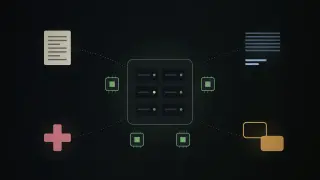
Local LLM is where we look at running language models on your own hardware: what fits, what it costs, and what it is actually good for. The first post starts small, on purpose.
In an August 2026 video, the Zero to MVP channel makes a simple argument: models of 2 to 4 GB can do real, useful work, as long as you stop treating them as weaker copies of large models and give them jobs that suit their size (Zero to MVP, 2026). The video shows four such jobs running around the clock on a low-power home server. It is embedded below, and the timestamps jump to the matching moment.
The setup: always on, not high-end
The one hard requirement is availability. The models run in the background, all the time, on a machine on the home network, so other scripts can call them whenever there is work (watch from 0:31). That rules out a power-hungry workstation with a top graphics card. The presenter uses an energy-efficient small server, a second-generation ZimaCube, which doubles as network storage for the documents the models work on (watch from 1:02).
This is the first lesson of the video, even before any model appears: running a model 24/7 is a power and noise question as much as a capability one, and small models are what make an always-on box practical.
1. Scanned documents to Markdown
The first job is turning scanned PDFs into clean Markdown. The presenter's own open-source tool drives GLM-OCR, a specialised document-recognition model of about 2 GB (watch from 1:34). Z.ai released GLM-OCR as open weights in early 2026; it is a 0.9-billion-parameter model built for text, tables and formulas (Z.ai, 2026).
On a five-page test file, the model uses two CPU cores and leaves more than half of the server's memory free, and every page comes out recognised (watch from 2:33). A general model with 26 or 31 billion parameters could do the same job, the video notes, but with dozens of times the load, and it might not run on this hardware at all (watch from 3:04).
2. Summaries of what you follow
The second job is reading triage. Whenever a followed source publishes something new, a script sends the text to a local model, which extracts the main points; the presenter reads the summary instead of the full piece (watch from 3:37). The model is Qwen 3.5 with 4 billion parameters, a little over 3 GB, one of the small open-weight models Alibaba's Qwen team released in 2026 (Qwen Team, 2026). A run takes a few minutes per article, which is plenty when the volume is a handful of articles a day (watch from 4:35).
The interesting design choice is that speed barely matters. A background job that finishes before you sit down to read is fast enough.
3. A private medical assistant
The third job is personal and sensitive: medical documents for the presenter's family. The point here is privacy. That information stays on a home machine instead of a company's servers (watch from 4:57). The model is MedGemma, Google's open medical model, whose 4-billion-parameter version reads medical images as well as text (Google, 2025).
The presenter uses it to understand test results and images and to prepare questions, and is explicit that it does not replace a doctor: the model helps explain what is going on, and what to do about it is a conversation with a clinician (watch from 5:36). Google says the same of MedGemma, which it describes as a starting point for developers rather than a clinical-grade tool (Google, 2025).
4. Translation by folder
The last job is translation. Some sources publish in languages the presenter does not read, so a script watches an input folder, translates any new file with the same 4-billion-parameter Qwen model, and saves the result to an output folder (watch from 6:00). In the demonstration, a Japanese article about language models appears in English a short while later (watch from 6:36). From there it can be read directly or passed to the summariser.
How to use small models well
The closing advice is the most transferable part. Small models need a different approach from large ones: they work best on narrow, clearly defined tasks, with a small input, one specific operation and a strictly defined output format, ideally one that can be checked automatically (watch from 7:45).
The video then lists when they are the right choice (watch from 8:21):
when data must stay local and private;
when you need to work without an internet connection;
when the hardware is low-powered;
for large numbers of simple requests, where cost adds up;
when a narrow, specialised model fits the job;
when the model needs to run continuously in the background.
What to take away
None of the four jobs needs a frontier model. Each is a pipeline step with a clear input and output: OCR, summarise, explain, translate. The pattern is to pick a specialised small model where one exists, wire it to a folder or a feed, and let a quiet machine do the work while you are not looking. The trade-off is that you design the task to fit the model, rather than asking one large model to do everything. For a lot of everyday automation, that is a good trade.
References
Google. (2025). MedGemma [Model documentation]. Health AI Developer Foundations. https://developers.google.com/health-ai-developer-foundations/medgemma
Qwen Team. (2026). Qwen [Model collection]. Hugging Face. https://huggingface.co/Qwen
Z.ai. (2026). GLM-OCR [Model card]. Hugging Face. https://huggingface.co/zai-org/GLM-OCR
Zero to MVP. (2026, August 13). Why I run 2–4 GB AI models 24/7 [Video]. YouTube. https://www.youtube.com/watch?v=9LkxI2H3gI0