
Reverse Engineering / REA Rust
RustGIS v0.1.0: A Desktop GIS Rebuilt From Scratch in Rust
RustGIS v0.1.0 is a free, Apache-licensed desktop GIS written from scratch in Rust, with a familiar ribbon, over 1,000 GeoLibre and Whitebox tools, an AI assistant and a WebAssembly build for the browser. What the first release ships, how it is built, where your data goes and what is still early.
 Akmal Alif · 19 October 2026 MYT
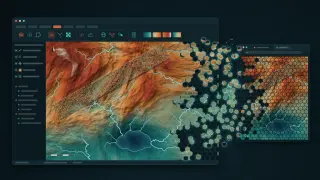
This is the first post in REA Rust, a new sub-section of EXEPERT's Reverse Engineering section. Reverse Engineering is about understanding how software works and rebuilding it; REA Rust covers rebuilding familiar software and tools in Rust, through rewrites and clean re-implementations. To be clear from the start, RustGIS is not binary reverse engineering, and nothing was disassembled. It is an open-source desktop GIS written from scratch in Rust that recreates a workflow GIS users know from established desktop tools: a ribbon of tabs, a geoprocessing pane, ModelBuilder-style models and print layouts.
A short trailer and a first release
The 31-second trailer above announced RustGIS v0.1.0 on 12 October 2026 (Open Geospatial Solutions, 2026e). The project comes from Qiusheng Wu, an associate professor in Geography & Sustainability at the University of Tennessee, Knoxville, and an Amazon Scholar, better known for the Python packages leafmap, geemap and segment-geospatial (Wu, n.d.). RustGIS sits in the opengeos organisation on GitHub under the Apache License 2.0.
It describes itself as a fast, free and open-source GIS in pure Rust. It runs natively on Windows, macOS and Linux, and the same app is compiled to WebAssembly for the browser at web.rustgis.app (Open Geospatial Solutions, 2026j). The public repository appeared on 10 October and the release two days later. By 19 October it had passed 1,600 stars, and v0.2.0 and v0.3.0 had followed on 13 and 16 October (Open Geospatial Solutions, 2026l, 2026m). This post covers the first release, with notes on what has changed since.
What v0.1.0 ships
The release notes and README describe a broad first version (Open Geospatial Solutions, 2026j, 2026k):
Area | In v0.1.0 |
|---|---|
Data | GeoJSON, CSV with coordinates and Shapefile in; GeoJSON, CSV, KML, GPX and WKT out; GeoTIFF and cloud-optimised GeoTIFF |
Maps | Several maps per project, a 3D globe, any EPSG projection, offline basemaps, web tiles, vector tiles and MapLibre styles |
Cartography | Unique values, graduated colours, collision-free labels, page layouts with map series, PDF export, reports |
Editing | Snapping, templates, domains and attribute rules, with undo for every change |
Analysis | SQL selection, overlay and proximity tools, viewshed, IDW and shortest path workflows, ModelBuilder, and over 1,000 GeoLibre and Whitebox tools |
Extras | An AI assistant, a command line, WebAssembly plugins and 15 interface languages |
Packages | Windows installers and a portable zip, a signed macOS DMG, Linux .deb, .rpm and AppImage |
The 1,000-plus tools come from related open-source projects. GeoLibre is a sibling opengeos GIS built on web technology, and its tool suite, geolibre-rust (MIT), extends a WebAssembly-ready fork of Whitebox Next Gen (Open Geospatial Solutions, n.d.-a, n.d.-b). Whitebox is the analysis project John Lindsay began at the University of Guelph in 2009, strong in terrain, hydrology and LiDAR, and its new Rust code is licensed under MIT or Apache 2.0 (Lindsay, n.d.). On the desktop the suite is an optional download of about 20 MB, and each tool runs as a separate process, so a failing tool cannot crash the app. In the browser it runs inside the page, so nothing is uploaded (Open Geospatial Solutions, 2026b).
How it is built
RustGIS is a layered Cargo workspace: geometry at the bottom, then data, maps and analysis, rendering, plugins, the engine, the AI assistant and finally the ribbon. Lower layers never depend on the interface, which keeps the engine scriptable (Open Geospatial Solutions, 2026c).
Interface. The ribbon is drawn with egui, an immediate-mode GUI library, on the wgpu graphics layer. In v0.1.0 maps were rendered by tiny-skia on the CPU; v0.3.0 added a GPU map renderer in beta (Open Geospatial Solutions, 2026j, 2026m).
No MapLibre inside. RustGIS reads MapLibre styles and vector tiles but draws them itself, with pure-Rust crates such as geo for geometry and proj4rs for projections.
Everything is a command. Every button is a command with an id, so the ribbon, the rustgis-cli tool and the assistant all drive the app the same way, with undo.
Safety rules. The workspace forbids unsafe code, production code avoids panics, and tests feed junk input to every command and tool (Open Geospatial Solutions, 2026c).
Sandboxed plugins. Plugins are WebAssembly modules run by the wasmi interpreter, with no direct access to files, the network or the clock. Editing, file and network requests need permissions shown at install, and fuel and memory are capped (Open Geospatial Solutions, 2026g).
That is the case for Rust in GIS in miniature: memory safety without a garbage collector, and one codebase that compiles to a native program and to WebAssembly. QGIS, the leading open-source desktop GIS, is written in C++ and Python on Qt under the GPL, and leans on GDAL and PROJ for formats and projections (QGIS Development Team, n.d.; Open Geospatial Solutions, 2026n). Whitebox deliberately writes its own readers and projection code in Rust instead (Lindsay, n.d.). RustGIS takes the same route, which is why it runs so easily in a browser and why its first format list was short.
The AI assistant, and where your data goes
The assistant answers questions about your data, or changes the map, by running RustGIS commands. Each change is one undo step, and commands that touch files, the internet, plugins or scripts wait for your approval. It works with Anthropic, OpenAI, Gemini, OpenRouter, Ollama or any OpenAI-compatible server, and from the command line too (Open Geospatial Solutions, 2026a).
Read the privacy promise carefully. Requests go straight to the provider you pick, with your key, and carry your messages, layer names, fields, the map extent and any rows the assistant reads. With a cloud model those rows leave your machine; with Ollama on your own computer they do not. A remembered key is stored unencrypted, and small local models may stop early or skip steps (Open Geospatial Solutions, 2026a). The desktop app sends no analytics, while the hosted documentation and web app have counted page visits with Google Analytics since v0.2.0, without seeing your data (Open Geospatial Solutions, 2026h).
What is still early
The project is candid. Its v0.1.0 roadmap says many features are first versions and that "real depth is lower than the checklist suggests" (Open Geospatial Solutions, 2026i). Its comparison page, which admits it was written by an interested party, listed the gaps: no GeoPackage, GeoParquet, FlatGeobuf or databases, no Shapefile writing, no full PROJ support, no vertex editing, thin spatial joins and overlays, and no Python API (Open Geospatial Solutions, 2026n).
The web app could not open Shapefiles, LiDAR tools needed the desktop, and the Windows downloads are unsigned, so SmartScreen may warn (Open Geospatial Solutions, 2026b, 2026d). Early users found bugs too: projected Shapefiles ignored their .prj file and landed off the map, fixed the same day for v0.2.0 (ryanjshields, 2026; Open Geospatial Solutions, 2026l), and an assistant session with a third-party model closed the app (woshimaomaochong, 2026), which the v0.3.0 notes say no longer happens (Open Geospatial Solutions, 2026m).
The pace since has been remarkable. v0.2.0 added GeoPackage, GeoParquet, FlatGeobuf, KML, PMTiles, DuckDB SQL and an MCP server for AI agents; v0.3.0 added STAC search, OpenStreetMap and Overture data, PostGIS, LiDAR point clouds and a Python package (Open Geospatial Solutions, 2026l, 2026m). Vertex editing, spatial join and full 3D scenes are still on the roadmap. A project moving this fast will change under you, so pin a version for coursework.
Why it matters, and who should try it
RustGIS is not a replacement for QGIS or ArcGIS Pro, and does not claim to be. It is a compact, free and private take on the classic desktop workflow, which matters in Malaysia:
Students and lecturers get a ribbon workflow like commercial desktop GIS without a licence fee. The Windows setup.exe needs no admin rights, and the browser version needs no install.
Planners and agencies can keep sensitive layers in-house: the desktop app works offline, and the assistant can run on a local model.
Developers get a readable, layered Rust codebase and a plugin system to study.
Translators have an opening. The 15 languages include Bahasa Indonesia but not Bahasa Melayu or Tamil, and each is a plain text catalogue of phrases (Open Geospatial Solutions, 2026f).
For local data, geoBoundaries offers an open GeoJSON of Malaysia's 160 districts, which v0.3.0 can also fetch from inside the app (geoBoundaries, 2023; Open Geospatial Solutions, 2026m). The national portal data.gov.my publishes district tables, such as 2022 household income, as CSV and Parquet (Department of Statistics Malaysia, 2025). Linking the two by district name makes a good first exercise.
How to try it
Open web.rustgis.app and start from the World Atlas sample, or add your own GeoJSON, CSV or GeoTIFF.
For the desktop, use downloads.rustgis.app, the Microsoft Store, winget, Homebrew or the Linux packages. The current release is v0.3.0; v0.1.0 stays on its release page.
Install the GeoLibre tools from the Tools pane, called Geoprocessing in v0.1.0.
Pick an assistant provider, starting with Ollama if your data should stay on your computer.
For REA Rust, RustGIS sets a useful bar: a familiar workflow, rebuilt in the open, with its limits written down beside its features.
References
Department of Statistics Malaysia. (2025). Household income and expenditure: Administrative districts [Data set]. data.gov.my. https://data.gov.my/data-catalogue/hies_district
geoBoundaries. (2023). Malaysia ADM2 districts (gbOpen, MYS-ADM2-92858781) [Data set]. William & Mary geoLab. https://www.geoboundaries.org/api/current/gbOpen/MYS/ADM2/
Lindsay, J. (n.d.). whitebox_next_gen: Whitebox Next Generation Rust monorepo [Computer software]. GitHub. Retrieved October 19, 2026, from https://github.com/jblindsay/whitebox_next_gen
Open Geospatial Solutions. (n.d.-a). GeoLibre [Computer software]. GitHub. Retrieved October 19, 2026, from https://github.com/opengeos/GeoLibre
Open Geospatial Solutions. (n.d.-b). geolibre-rust [Computer software]. GitHub. Retrieved October 19, 2026, from https://github.com/opengeos/geolibre-rust
Open Geospatial Solutions. (2026a). AI Assistant [RustGIS v0.1.0 documentation]. GitHub. https://github.com/opengeos/RustGIS/blob/v0.1.0/docs/user-guide/assistant.md
Open Geospatial Solutions. (2026b). Analysis [RustGIS v0.1.0 documentation]. GitHub. https://github.com/opengeos/RustGIS/blob/v0.1.0/docs/user-guide/analysis.md
Open Geospatial Solutions. (2026c). Architecture [RustGIS v0.1.0 documentation]. GitHub. https://github.com/opengeos/RustGIS/blob/v0.1.0/docs/architecture.md
Open Geospatial Solutions. (2026d). Installation [RustGIS v0.1.0 documentation]. GitHub. https://github.com/opengeos/RustGIS/blob/v0.1.0/docs/installation.md
Open Geospatial Solutions. (2026e, October 12). Introducing RustGIS v0.1.0, the first release! [Video]. YouTube. https://www.youtube.com/watch?v=JPVNDwrc530
Open Geospatial Solutions. (2026f). Languages [RustGIS v0.1.0 documentation]. GitHub. https://github.com/opengeos/RustGIS/blob/v0.1.0/docs/i18n.md
Open Geospatial Solutions. (2026g). Plugins [RustGIS v0.1.0 documentation]. GitHub. https://github.com/opengeos/RustGIS/blob/v0.1.0/docs/plugins.md
Open Geospatial Solutions. (2026h). Privacy [RustGIS documentation]. Retrieved October 19, 2026, from https://rustgis.app/privacy/
Open Geospatial Solutions. (2026i). Roadmap [RustGIS v0.1.0]. GitHub. https://github.com/opengeos/RustGIS/blob/v0.1.0/ROADMAP.md
Open Geospatial Solutions. (2026j). RustGIS (Version 0.1.0) [Computer software]. GitHub. https://github.com/opengeos/RustGIS
Open Geospatial Solutions. (2026k, October 12). RustGIS v0.1.0 [Release notes]. GitHub. https://github.com/opengeos/RustGIS/releases/tag/v0.1.0
Open Geospatial Solutions. (2026l, October 13). RustGIS v0.2.0 [Release notes]. GitHub. https://github.com/opengeos/RustGIS/releases/tag/v0.2.0
Open Geospatial Solutions. (2026m, October 16). RustGIS v0.3.0 [Release notes]. GitHub. https://github.com/opengeos/RustGIS/releases/tag/v0.3.0
Open Geospatial Solutions. (2026n). RustGIS vs. other GIS platforms [RustGIS v0.1.0 documentation]. GitHub. https://github.com/opengeos/RustGIS/blob/v0.1.0/docs/comparison.md
QGIS Development Team. (n.d.). QGIS [Computer software]. GitHub. Retrieved October 19, 2026, from https://github.com/qgis/QGIS
ryanjshields. (2026, October 12). Shapefile .prj is ignored, so projected Shapefiles (EPSG:3857, UTM) load as lon/lat and land off the map (Issue No. 84) [Online forum post]. GitHub. https://github.com/opengeos/RustGIS/issues/84
woshimaomaochong. (2026, October 13). AI Assistant crashes with DeepSeek Flash when labeling Greater Bay Area cities (Issue No. 110) [Online forum post]. GitHub. https://github.com/opengeos/RustGIS/issues/110
Wu, Q. (n.d.). Qiusheng Wu [Personal website]. Retrieved October 19, 2026, from https://gishub.org