
Optimization / Electron
Electron Isn't Slow, Your Main Thread Is: A Fractal Demo, Web Workers and the Real Costs
A developer tired of hearing that Electron is just slow built a fractal app to prove the main thread is the real culprit. The demo step by step, Electron's two kinds of main thread, what Reddit pushed back on, and the memory and disk costs that are genuinely Electron's.
 Akmal Alif · 11 October 2026 MYT
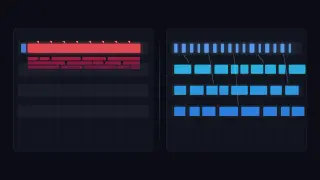
Optimization is a new EXEPERT section about making software faster, lighter and cheaper to run, with the measurements to back it up. Its Electron corner is for desktop apps built with web technology: VS Code, Slack, Discord, and the many smaller tools that ship a copy of Chromium inside.
The first post starts with a complaint every Electron developer has heard: "Electron is just slow." In February 2026 a developer posting as u/Piko8Blue on r/electronjs pushed back, and built a demo app to make the point. The post's argument fits in one line: "Most of the time, it's not the framework's fault; it's ours" (Piko8Blue, 2026). The same creator walked through the demo in an 11-minute video for the Piko Can Fly channel (Piko Can Fly, 2026).
This post goes through the argument, the demo and the replies, and then separates the costs Electron really does impose from the ones developers impose on themselves.
The argument: jank, not RAM
The post concedes the obvious up front. Bundling Chromium and Node.js into every app is heavy on memory and disk. Its claim is that those are rarely what users notice. What users notice and hate is jank: a button that does not respond, a hover state that sticks, a half-second freeze while the app thinks.
It also names the most common cause. Many developers assume that marking a function async moves its work into the background. It does not. Async and await help while a program waits on input and output, such as a network request or a file read. Work that keeps the processor busy, such as maths, parsing or layout, still runs on the main thread, and while it runs nothing else does (Piko8Blue, 2026).
The demo, step by step
The demo is a "Fractal Workshop", an Electron app built with Vite that draws recursive fractal trees in real time.
Make it lag. At low settings the sliders and menus respond instantly. Raise the recursion depth and the app is doing millions of calculations every frame; the sliders stutter and the dropdown takes visible time to open. The video sums up what performance bugs look like in real apps: not crashes, but friction (watch from 0:29).
Name the cause. This is not a browser, React or Electron problem but a main-thread problem. JavaScript runs on one thread, so it can either respond to the user or do the work, not both at once. Electron was chosen for the demo because a desktop app removes the excuse of a slow network (watch from 1:16).
Measure, don't guess. The Performance panel in Chrome DevTools records what happened, with screenshots to match each moment of lag to the code running at the time (watch from 2:31).
Read the numbers. Interaction to Next Paint, or INP, measures the delay between a click and the next frame the browser paints. Google counts 200 milliseconds or less as good responsiveness (Google, n.d.-a); the demo is at almost three times that. The timeline is full of long tasks, pieces of work that run for more than 50 milliseconds (Google, n.d.-b). At 60 frames per second the browser has about 16 milliseconds per frame, so a long task skips several frames, and the demo's tasks skip dozens (watch from 3:06; 4:12).
Rule out async. Making the loop asynchronous only delays the lag, because the maths still runs on the main thread (watch from 5:01).
Move the work. A Web Worker runs a script on a background thread with its own memory. In Vite, importing a file with "?worker" at the end of the path turns it into a worker constructor. The two threads talk only through messages: postMessage sends data, onmessage receives it, and terminate stops the worker (watch from 5:26; 7:02).
Check the result. With the maths in a worker, the interface stays responsive even while the app draws more than 1.3 million lines. DevTools still shows red, because drawing that many lines on the main thread is expensive. But the profile now has a second lane for the worker, and gaps on the main thread where clicks can get through (watch from 7:34; 8:41).
Go further. OffscreenCanvas can hand control of a whole canvas to a worker, so the worker does both the maths and the pixels. It is left out of the demo because it needs more setup (watch from 9:52).
The video ends on a rule worth pinning above any desk: "the main thread is for the interface, not computation" (Piko Can Fly, 2026). Calculating, parsing and crunching data go to a worker; listening, clicking and animating stay on the main thread (watch from 10:27).
One small correction to the video: a Web Worker is a separate thread with its own global scope and memory, not a separate operating-system process (MDN, n.d.).
Why Electron gets the blame: two kinds of main thread
The demo's fix applies to any web app, but Electron adds a second main thread that web developers do not have to think about. Electron inherits Chromium's multi-process design: one main process that runs Node.js, and a separate renderer process for each window (Electron, n.d.-b).
The renderer's main thread runs the page, exactly like a browser tab. Blocking it freezes that window. The fix is the one in the demo: Web Workers for long work, and requestIdleCallback for small jobs that can wait for a quiet moment (Electron, n.d.-a).
The Electron main process is the parent of every other process. Electron's documentation calls it the control tower: mouse clicks and even messages to the GPU process pass through it. Blocking it with long-running work freezes the entire app, every window at once (Electron, n.d.-a).
The documentation's advice for the main process is specific. Use worker threads for CPU-heavy tasks, or move them to a window, or spawn a dedicated process as a last resort. Avoid synchronous inter-process messages and the remote module, which make it easy to block without noticing. Prefer the asynchronous versions of Node's file and process functions (Electron, n.d.-a). For the dedicated process, Electron's utilityProcess API starts a Node.js child process through Chromium's own services and can open a direct message channel to a renderer, which makes it the recommended home for CPU-intensive or crash-prone work (Electron, n.d.-c).
The documentation is blunt about where the responsibility sits: Electron gives developers a great deal of freedom, and so performance is largely theirs to manage (Electron, n.d.-a).
What the replies added
The thread was small, but the replies covered most of the real debate:
App code, not the shell. One commenter described a bare Electron shell that opened windows instantly, followed by a client app whose chains of React effects kept the window on a loading shimmer for about 30 seconds.
Not every bottleneck is computation. The most useful data point came from a developer building an app with several terminal emulators. Moving work to workers did not help: "Workers didn't help because the bottleneck was DOM writes, not computation" (germanheller, 2026). Batching the terminal writes into 200-millisecond windows took the app from visible jank at four terminals to smooth at nine.
Use the GPU for drawing. Another reply pointed out that fractal drawing belongs on the GPU through WebGL. The author agreed: the worker fixed responsiveness, but drawing with the 2D canvas on the main thread was still a bottleneck, and WebGL was left out to keep the video about threading.
Memory is a real complaint. The strongest counter-argument came from a developer whose 32 GB laptop became unusable for demanding work with Microsoft Teams and two other Electron apps open, and whose client's customers in rural Germany complained about download sizes.
Fair comparisons. Others suggested repeating the experiment in Tauri, which uses the system's web view instead of bundling Chromium, and noted that compiled native code will usually use less power than JavaScript. VS Code came up, as it always does, as the standard example of a fast Electron app.
The costs that are real
The replies are right that Electron has costs the main-thread argument does not touch. Every Electron app carries its own copy of Chromium and Node.js, which adds download size, and each window and helper is a separate process with its own memory.
Architecture still matters even here. Slack's desktop app once ran a stand-alone copy of the web client in a separate Electron process for every signed-in workspace; its 2019 rebuild moved to a single shared client and cut memory use substantially (Christian & Rodgers, 2019). On the other side, Microsoft rebuilt Teams in 2023 on WebView2, which shares the browser engine already installed with Edge, and cited lower memory use and a smaller disk footprint among the gains (Singh, 2023).
A fair summary: responsiveness is mostly the developer's job. Memory and disk size are partly the framework's cost and partly the developer's.
A checklist for a smoother Electron app
Profile first. Record a trace in the Performance panel and look for long tasks and slow interactions before changing anything.
Keep the Electron main process free. Use asynchronous file and process calls, avoid synchronous messages, and move heavy Node.js work to worker threads or a utility process.
Move computation off the renderer's main thread. Web Workers for long work; break the rest into small pieces that yield between frames.
Batch DOM updates. If the profile shows layout and painting rather than scripting, workers will not help. Fewer, larger updates will.
Draw on the GPU. For heavy graphics, use WebGL, and consider OffscreenCanvas so a worker can draw.
Load less, later. Electron's checklist also warns against heavy dependencies, loading code before it is needed, unnecessary polyfills and unbundled code (Electron, n.d.-a).
Watch memory per window and per process. As Slack found, one process per thing adds up quickly.
Electron will never be the lightest way to ship a desktop app. But most of the sluggishness people blame on it comes from work done in the wrong place, and that part is fixable in any framework.
References
Christian, M., & Rodgers, J. (2019, July 22). When a rewrite isn't: Rebuilding Slack on the desktop. Slack Engineering. https://slack.engineering/rebuilding-slack-on-the-desktop/
Electron. (n.d.-a). Performance. Retrieved October 11, 2026, from https://www.electronjs.org/docs/latest/tutorial/performance
Electron. (n.d.-b). Process model. Retrieved October 11, 2026, from https://www.electronjs.org/docs/latest/tutorial/process-model
Electron. (n.d.-c). utilityProcess. Retrieved October 11, 2026, from https://www.electronjs.org/docs/latest/api/utility-process
germanheller. (2026, February 10). Comment on the post I'm kind of sick of hearing that "Electron is just slow" [Online forum comment]. Reddit. https://www.reddit.com/r/electronjs/comments/1qw4hcf/im_kind_of_sick_of_hearing_that_electron_is_just/
Google. (n.d.-a). Interaction to Next Paint (INP). web.dev. Retrieved October 11, 2026, from https://web.dev/articles/inp
Google. (n.d.-b). Optimize long tasks. web.dev. Retrieved October 11, 2026, from https://web.dev/articles/optimize-long-tasks
MDN. (n.d.). Using Web Workers. Mozilla. Retrieved October 11, 2026, from https://developer.mozilla.org/en-US/docs/Web/API/Web_Workers_API/Using_web_workers
Piko Can Fly. (2026, February 4). Web workers and threading in JavaScript explained [Video]. YouTube. https://www.youtube.com/watch?v=a6_mdmJLtaM
Piko8Blue. (2026, February 4). I'm kind of sick of hearing that "Electron is just slow." (So I built a fractal generator to prove a point) [Online forum post]. Reddit. https://www.reddit.com/r/electronjs/comments/1qw4hcf/im_kind_of_sick_of_hearing_that_electron_is_just/
Singh, S. (2023, March 27). Microsoft Teams: Advantages of the new architecture. Microsoft Teams Blog. https://techcommunity.microsoft.com/blog/microsoftteamsblog/microsoft-teams-advantages-of-the-new-architecture/3775704