
Cyber Security
Anything in Your APK Is Public: A Developer's Warning About App Secrets, Checked Against the Standards
A Malay-language Threads thread warned mobile developers to treat anything inside an APK as public. We check it against OWASP, Google, Firebase and Supabase guidance, sort keys that are safe in an app from secrets that must stay on a server, and give a checklist for auditing your own build.
 Akmal Alif · 13 October 2026 MYT
On 9 September 2026 the Threads user @ariffromeo posted a three-part thread in Malay with a blunt rule for mobile developers: "apa2 yg masuk dalam APK, anggap je public". In our translation: whatever goes into the APK, just assume it is public. The author wrote it in response to what they called a data leak from a well-known app that day. By 13 October 2026 it had about 13,900 views, 372 likes, 32 replies and 68 reposts (ariffromeo, 2026).
The rule is old, but the timing was apt: about two weeks later, researchers reported more than 16,000 Supabase databases exposing readable tables. This post checks the thread against the official guidance, sorts keys that can ship in an app from those that never can, and sets out how to check your own app before release.
This is defensive guidance. EXEPERT did not inspect, unpack or decompile any third-party app for this post, and the checks below are for builds of your own app.
Which app was it?
The thread did not name the app, and we found no source that does. It was posted just after midnight, Malaysia time, so its "today" most likely meant 8 September.
One case was in the news that day: Kosmo! reported that the Malaysian delivery platform Misi, also known as Misi Rakyat, was investigating a seller's claim to be offering about 300,000 of its customer records, and checking whether any unauthorised access had occurred (Kosmo!, 2026). No source we found links that claim to this thread or to secrets in an app, and we found no public finding on its cause. We covered it in our report on Malaysia's personal-data incidents from June to September 2026.
The thread's lesson does not depend on which app it was.
What the thread says
The thread makes three points. The quotes are our translation from Malay.
Treat the package as public. A .env file "isn't something magic that automatically keeps secrets safe". If .env.production, an API key or a secret is bundled into the app, people can extract it and read it back. The problem is not skilled APK hackers, the author writes; APKs can simply be inspected.
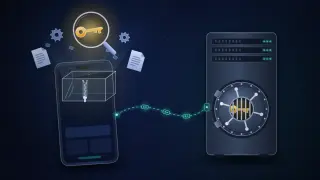
The app is only a frontend. The flow should be mobile app → backend API → database, payments, cloud or third parties. The app needs only the API URL, public configuration and the user's token. Values such as DB_PASSWORD, JWT_SECRET, SERVICE_ROLE_KEY, AWS_SECRET and MASTER_API_KEY never belong in an APK; if an outside service needs a secret, the backend handles it.
Check your own build. Decompile your own APK before release and check the assets, strings, .env and hardcoded keys. "If we can find the secret ourselves in five minutes, an attacker can too." A secure app is not one that is hard to decompile, but one whose backend still holds after someone has decompiled it and found every endpoint.
In the replies, the author added that business logic and secrets belong entirely in the backend ("api-driven architecture") and that apktool and decompilers on GitHub make unpacking easy. When a reader joked about unpacking vibe-coded apps on the app stores, the author urged a white-hat mindset and contacting developers responsibly. Others asked about keys meant to be public, such as Google Maps keys.
Why anything in the APK is public
An Android APK is a ZIP archive. OWASP's Mobile Application Security Testing Guide notes that an ordinary unzip tool can open it, and that apktool also decodes the manifest and disassembles the compiled code (OWASP Foundation, n.d.-a). Inside are the compiled code, the resources, including string values, and an assets folder for bundled files. A secret in the app is only as hidden as a file the user already has.
The official guidance agrees:
Native Android. Google's security checklist warns that if an app's source includes API keys, an attacker can decompile the app and find them (Android Developers, n.d.-b). Google's Secrets Gradle plugin keeps keys out of source control, but its own disclaimer says they "are still recoverable by decompiling an APK" (Google, n.d.).
.env files in cross-platform apps. Expo says EXPO_PUBLIC_ variables "will be visible in plain-text in your compiled application" (Expo, 2026). The react-native-config README says the module does not obfuscate or encrypt secrets and tells developers not to store sensitive keys in .env (Lugg, n.d.). The flutter_dotenv package says Flutter assets "can be extracted by anyone with access to the build" (flutter_dotenv, 2026).
iOS and the web. OWASP's weakness entry for hardcoded data covers IPA packages as well as APKs (OWASP Foundation, n.d.-b). Supabase lists web pages and bundled mobile and desktop packages among the places a secret key must never appear (Supabase, n.d.-a).
Obfuscation does not change this. OWASP treats it, with white-box cryptography and runtime self-protection, as a last resort: such techniques "deter but do not prevent extraction" (OWASP Foundation, n.d.-b). A secret downloaded at run time fares no better: the app runs on a device the user controls, so whatever the app can read, a determined user can eventually read. MITRE's CWE-798 entry likewise warns that users of a product with hard-coded passwords may be able to extract them (MITRE, n.d.).
Where this sits in OWASP MASVS
One reply listed MASVS control groups: storage, network, code and crypto. The OWASP Mobile Application Security Verification Standard (MASVS), now at version 2.1.0, is the reference for secure mobile apps (OWASP Foundation, 2024). The controls that matter here:
MASVS-STORAGE-1: the app securely stores sensitive data. OWASP files hardcoded secrets in the app package (MASWE-0004) under this control (OWASP Foundation, n.d.-b).
MASVS-CRYPTO-2: key management. Cryptographic keys belong in the Android Keystore or the iOS Keychain, not in the package.
MASVS-AUTH-1: authentication and authorisation. Enforcement "must be on the remote endpoint".
MASVS-RESILIENCE: anti-tampering and anti-analysis. These controls slow an attacker down; they do not replace the ones above.
Public by design, or never in the app
Some keys are meant to sit in the client. They identify your project but grant nothing on their own; server-side rules protect the data. A useful test: if the key were printed on a billboard, would your data still be safe?
Credential | Can it ship in the app? | What actually protects you |
|---|---|---|
Firebase API key and app config | Yes, if restricted to Firebase APIs | Firebase Security Rules, App Check and IAM permissions (Firebase, 2026b) |
Supabase publishable key (legacy anon key) | Yes | Row Level Security on every exposed table (Supabase, n.d.-a) |
Google Maps key | Yes, with restrictions | Application restrictions (Android package name and SHA-1 certificate fingerprint, or iOS bundle ID) plus API restrictions (Google Cloud, n.d.) |
Gemini API key | Never | Keep it on your server (Firebase, 2026b) |
Supabase secret key (legacy service_role key) | Never | Nothing: it bypasses every Row Level Security policy (Supabase, n.d.-a) |
Database passwords, JWT signing secrets, cloud access keys, payment-provider secret keys, admin API keys | Never | A server-side secrets store; the app gets a short-lived user token instead |
That answers the question about Google Maps keys: they are designed for the client, but public does not mean unrestricted. In February 2026 Truffle Security reported that enabling the Gemini API on a Google Cloud project silently let existing keys in that project call Gemini, including keys published years earlier for Maps. In a November 2025 web crawl it found 2,863 live keys that could authenticate to Gemini (Leon, 2026). Restrict every client key to the APIs it needs, and keep paid and AI services behind your server.
Another reader observed that web keys are easier to rotate than mobile ones. True: a website switches keys in one deploy, but an app key lives on in every installed copy, so keep even public app keys low in value. MASVS-CODE-2 asks apps to have a way to force updates (OWASP Foundation, 2024).
The architecture the thread describes
The thread's flow, from app to backend API to everything else, is what the standards recommend.
The app holds only public configuration and the user's token. Google advises against storing passwords on the device and recommends short-lived, service-specific tokens after sign-in (Android Developers, n.d.-b). OWASP suggests tokens that expire quickly, such as after an hour (OWASP Foundation, n.d.-b).
The backend holds the secrets. Google Cloud's advice is that the client "should pass requests to the server, which can add the credential and issue the request" (Google Cloud, 2026). OWASP calls this proxying secrets through middleware such as an API gateway (OWASP Foundation, n.d.-b). Keep server secrets in a secrets manager, never in the repository.
The backend decides who may see what. Every request is checked against the signed-in user, on the server.
If the app talks to a backend-as-a-service directly, its rules are your backend. For Supabase that means Row Level Security; a table in an exposed schema without it "is readable and writable by any role with a grant on it" (Supabase, n.d.-b). For Firebase it means Security Rules.
App attestation helps, but it is not a vault. Google's Play Integrity API checks that requests come from your genuine app on a genuine device, and works best "alongside other signals" (Android Developers, n.d.-a). Firebase App Check, built on Play Integrity and Apple's App Attest or DeviceCheck, "prevents some, but not all, abuse vectors" (Firebase, 2026a). Use it to raise the bar, and still design as if the attacker has your code.
The vibe-coding angle
The joke about vibe-coded apps points at a real pattern. Tools that build an app from a prompt often connect the client straight to a hosted database, which is safe only if the access rules are right.
On 24 September 2026 UpGuard published a study of about 300,000 domains showing signs of Supabase. Using only the database address and public key the sites publish in their JavaScript, the researchers asked each database for a table of users. In 16,326 cases the database exposed readable tables. More than half showed signs of personal data, and a smaller share held passwords or authentication tokens (Pollock, 2026). UpGuard traced the problem to missing or ineffective Row Level Security, noting that tables created programmatically through the API, the route coding agents typically use, did not get it by default. The researchers stressed that their scans did not prove every affected site was built with an AI agent (Toulas, 2026).
The study looked at websites, but a mobile app that talks to Supabase directly depends on the same rules. The public key worked as designed; the rule behind it failed.
The problem is older than AI tools. In 2019 researchers analysed more than 1.6 million Android apps and found 15,098 cloud back ends open to data leakage, caused by missing authentication, misused keys, including superuser keys, and misconfigured permissions (Zuo et al., 2019). In 2025 Cybernews reported that 71% of more than 156,000 iOS apps it examined contained at least one hardcoded secret, among them 19 Stripe secret keys, which control payments (Fadilpašić, 2025).
If you come across someone else's exposed secret, follow the thread author's advice: do not use it, and tell the developer privately.
Audit your own app before release
The thread suggests decompiling your own APK before every release. A fuller checklist, for builds you own:
Check the build you actually ship. Use the signed release APK or app bundle, the IPA or the production web bundle, not a debug build.
Unpack it. An APK opens as a ZIP file; apktool decodes the manifest and resources, and jadx turns compiled code back into readable Java. OWASP's testing guide covers both.
Search everything. Check string resources, assets, BuildConfig values, the JavaScript bundle in React Native and Expo apps, and Flutter assets, for names like those in the thread and your providers' secret-key prefixes.
Look for .env and config files. Any .env, .env.production or JSON config in the package is public.
Run a secret scanner. Run gitleaks or TruffleHog on the repository, its git history and the unpacked build, and add it to your release pipeline, as OWASP recommends (OWASP Foundation, n.d.-b).
Test your rules with only the public key. As one test user, try to read another's data, then try signed out. Confirm Supabase Row Level Security is on for every exposed table, or test your Firebase Security Rules.
Restrict every key that must ship. Add application and API restrictions, and use separate keys per app and per environment (Android Developers, n.d.-b).
Watch usage. Set quotas and alerts, and monitor key usage so misuse shows up early (Google Cloud, 2026).
If you have already shipped a secret
Treat it as compromised. Removing it from the next build does not help: every installed or archived copy of the old version still contains it.
Rotate it. Supabase's order is to fix the cause of the leak, create a new key, replace the old one everywhere, confirm, then retire the compromised key (Supabase, n.d.-a).
Move the call behind your backend. Otherwise the new key will leak the same way.
Check what the key could reach. Review usage and access logs for the whole period it was public.
Plan for old versions. Old installs may break when you revoke the key; a forced update retires them cleanly.
Notify if personal data was affected. Since 1 June 2025 Malaysia's Personal Data Protection Act has required data controllers to notify the Personal Data Protection Commissioner within 72 hours of a breach that causes or is likely to cause significant harm, or that affects more than 1,000 people. Where significant harm is likely, affected individuals must be told within seven days of notifying the Commissioner (Bigg & Zhao, 2025).
What the thread gets right
The thread's last point is the one to keep. A secure app is not one that is hard to decompile; it is one whose backend holds after someone has decompiled it and found every endpoint. Assume the package is public, keep secrets on the server, check every request against the signed-in user, and look at your own release before someone else does.
References
Android Developers. (n.d.-a). Overview of the Play Integrity API. Retrieved October 13, 2026, from https://developer.android.com/google/play/integrity/overview
Android Developers. (n.d.-b). Security checklist. Retrieved October 13, 2026, from https://developer.android.com/privacy-and-security/security-tips
ariffromeo. (2026, September 9). Kes data leak dari app femes arini bagi satu reminder simple utk dev mobile… [Today's data leak case from a famous app is a simple reminder for mobile developers…] [Threads post]. Threads. https://www.threads.com/@ariffromeo/post/DdCHwUpE1W0
Bigg, C., & Zhao, Q. (2025, March 4). Malaysia: Guidelines issued on data breach notification and data protection officer appointment. Privacy Matters, DLA Piper. https://privacymatters.dlapiper.com/2025/03/malaysia-guidelines-issued-on-data-breach-notification-and-data-protection-officer-appointment/
Expo. (2026, July 28). Environment variables in Expo. Expo Documentation. https://docs.expo.dev/guides/environment-variables/
Fadilpašić, S. (2025, March 13). Thousands of iOS apps found to expose user data. TechRadar. https://www.techradar.com/pro/security/thousands-of-ios-apps-found-to-expose-user-data-and-leak-stripe-keys
Firebase. (2026a, October 7). Firebase App Check. https://firebase.google.com/docs/app-check
Firebase. (2026b, October 6). Learn about and manage API keys for Firebase. https://firebase.google.com/docs/projects/api-keys
flutter_dotenv. (2026). flutter_dotenv (Version 6.0.1) [Computer software]. pub.dev. https://pub.dev/packages/flutter_dotenv
Google. (n.d.). Secrets Gradle plugin for Android [Computer software]. GitHub. https://github.com/google/secrets-gradle-plugin
Google Cloud. (n.d.). Manage API keys. Retrieved October 13, 2026, from https://docs.cloud.google.com/docs/authentication/api-keys
Google Cloud. (2026, October 9). Best practices for managing API keys. https://docs.cloud.google.com/docs/authentication/api-keys-best-practices
Kosmo!. (2026, September 8). Misi siasat dakwaan kebocoran data lebih 300,000 pelanggan [Misi investigates alleged data leak involving more than 300,000 customers]. Kosmo! Online. https://www.kosmo.com.my/2026/09/08/misi-siasat-dakwaan-kebocoran-data-lebih-300000-pelanggan/
Leon, J. (2026, February 25). Google API keys weren't secrets. But then Gemini changed the rules. Truffle Security. https://trufflesecurity.com/blog/google-api-keys-werent-secrets-but-then-gemini-changed-the-rules
Lugg. (n.d.). react-native-config [Computer software]. GitHub. https://github.com/lugg/react-native-config
MITRE. (n.d.). CWE-798: Use of hard-coded credentials. Retrieved October 13, 2026, from https://cwe.mitre.org/data/definitions/798.html
OWASP Foundation. (n.d.-a). MASTG-TECH-0007: Exploring the app package. OWASP Mobile Application Security. Retrieved October 13, 2026, from https://mas.owasp.org/MASTG/techniques/android/MASTG-TECH-0007/
OWASP Foundation. (n.d.-b). MASWE-0004: Sensitive data hardcoded in the app package. OWASP Mobile Application Security. Retrieved October 13, 2026, from https://mas.owasp.org/MASWE/MASVS-STORAGE/MASWE-0004/
OWASP Foundation. (2024). OWASP mobile application security verification standard (MASVS) (Version 2.1.0). https://mas.owasp.org/MASVS/
Pollock, G. (2026, September 24). Everything everywhere: Systemic data exposure in Supabase apps. UpGuard. https://www.upguard.com/blog/everything-everywhere-systemic-data-exposure-in-supabase-apps
Supabase. (n.d.-a). API keys. Supabase Docs. Retrieved October 13, 2026, from https://supabase.com/docs/guides/api/api-keys
Supabase. (n.d.-b). Row level security. Supabase Docs. Retrieved October 13, 2026, from https://supabase.com/docs/guides/database/postgres/row-level-security
Toulas, B. (2026, September 28). Over 16,000 Supabase databases expose PII, passwords, auth tokens. BleepingComputer. https://www.bleepingcomputer.com/news/security/misconfigured-supabase-apps-expose-data-in-over-16-000-databases/
Zuo, C., Lin, Z., & Zhang, Y. (2019). Why does your data leak? Uncovering the data leakage in cloud from mobile apps. In 2019 IEEE Symposium on Security and Privacy (SP) (pp. 1296–1310). IEEE. https://doi.org/10.1109/SP.2019.00009